

The following article explores five ways you can use ChatGPT for content creation at scale.
Content creation is essential for engaging audiences and driving traffic to your platforms. However, consistently generating fresh, valuable content can be challenging.
This is where ChatGPT comes in, offering efficient and creative solutions to streamline your content creation process.
Key Takeaways
- Ideation: Use ChatGPT to generate content ideas and overcome writer’s block.
- Repurposing Videos to Blogs: Transform YouTube videos into SEO-optimized blog posts.
- Short Form Content: Convert long-form content into engaging short-form content for social media.
How to Use ChatGPT for Content Creation (Video)
5 Ways to Use ChatGPT for Content Creation
1. Ideation
A major challenge in content creation is coming up with fresh and engaging ideas. One of my favorite “hacks” is using ChatGPT to help you overcome this hurdle by providing a wealth of content ideas tailored to your niche.
Real-World Example
Imagine you have a YouTube channel focused on AI tutorials. By prompting ChatGPT with “I need you to be an expert in YouTube content marketing and ideation. What are some video ideas that an audience interested in AI would find valuable?”
You can receive a list of 10 relevant video ideas with brief explanations.
- Beginners Guide to Machine Learning: Ideal for newcomers to the technology.
- Top Five AI Tools for Content Creators: A listicle format that can be adapted for various niches.
- How to Build a Chatbot: Practical how-to content.
- Exploring AI in Marketing: Discussing the intersection of AI and marketing.
- AI Ethics: An important and timely topic.
By tailoring the prompt to your specific needs, you can easily generate a plethora of content ideas to keep your audience engaged.
2. Repurposing YouTube Videos into Blog Posts
Transforming video content into written form can expand your reach and improve your SEO. ChatGPT can assist in converting YouTube video transcripts into SEO-optimized blog posts.
In fact, I repurpose several of my YouTube videos for AI Insider Tips into long-form blog posts so I can target the same keywords in a written format.

Step-by-Step Process
- Provide Context: Begin by prompting ChatGPT with context about your content. For example, “I need you to be an expert in content creation marketing and repurposing content.”
- Paste Transcript: Copy and paste the transcript of your YouTube video into the prompt.
- Generate Blog Post: ChatGPT will analyze the transcript and generate an SEO-optimized blog post, complete with headings, subheadings, and a professional tone.
Example
For a YouTube video titled “Five ChatGPT Hacks to Improve Your Responses,” ChatGPT can generate a blog post with detailed hacks, examples, and prompts used in the video, ensuring the content is well-structured and engaging.
3. Creating Short Form Content
Short-form content is essential for social media platforms. ChatGPT can help you repurpose long-form content into concise and engaging social media posts.
How to Do It
- Input Blog Post: Provide ChatGPT with a blog post or long-form content.
- Specify Platforms: Request social media posts for specific platforms such as LinkedIn, Facebook, and Twitter.
- Generate Posts: ChatGPT will create tailored social media posts, complete with hashtags and emojis (if desired).
Example
By inputting a blog post on “Five ChatGPT Hacks,” ChatGPT can generate posts for LinkedIn, Facebook, and Twitter, each tailored to the platform’s style and audience.
4. Generating AI Images
Visual content enhances engagement on social media. ChatGPT, integrated with image generation tools like DALL-E, can create images related to your content.
Steps to Follow
- Provide Post Content: Input your social media post content.
- Request Image Generation: Ask ChatGPT to generate an image related to the post.
- Download and Use: Use the generated images in your social media posts to boost engagement.
Example
For a post about “Boosting Negotiation Skills,” ChatGPT can generate a relevant image to accompany the post, increasing its visual appeal and shareability.
5. Repurposing Long-Form Videos into Short-Form Clips
Short-form video content is highly engaging and suitable for platforms like TikTok, Instagram Reels, and YouTube Shorts.
Tools like Opus Clip, combined with ChatGPT, can streamline this process and greatly boost productivity.
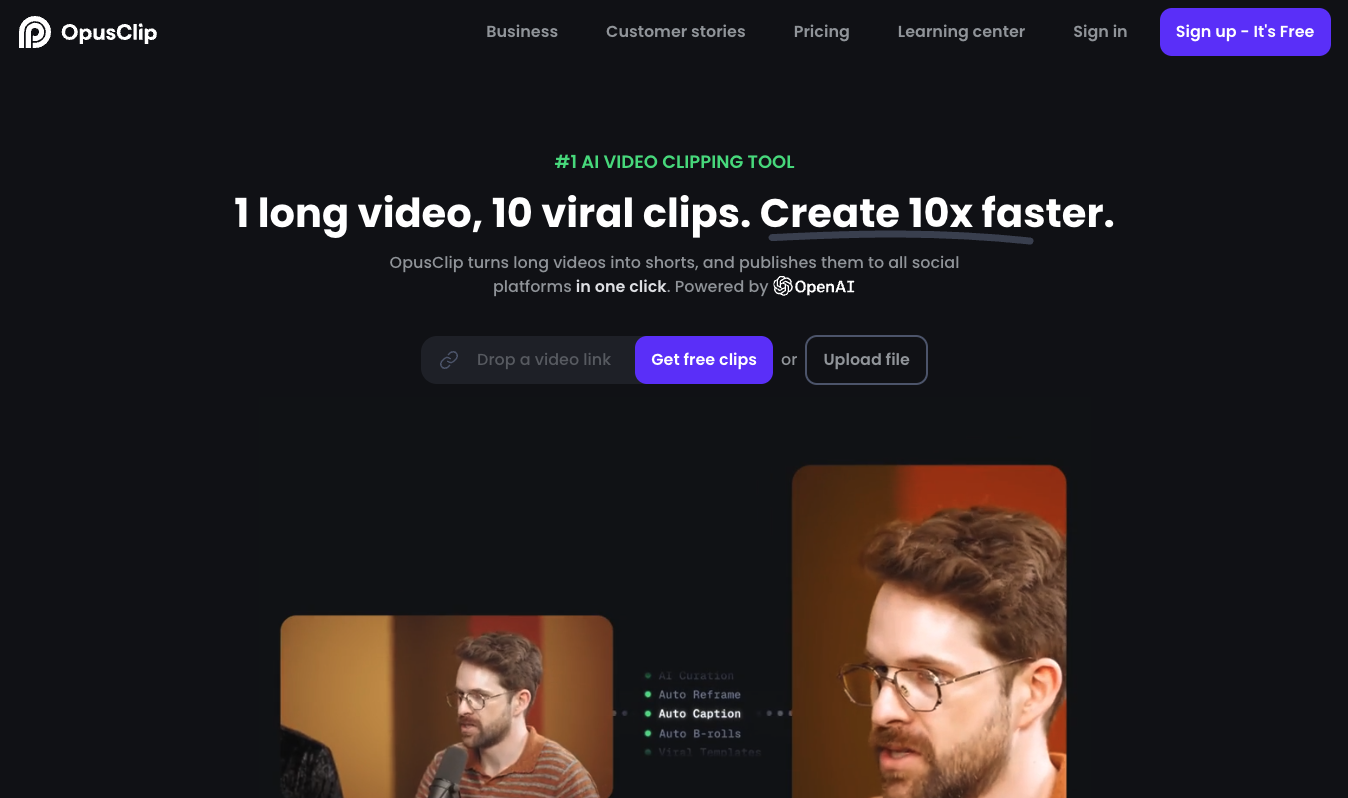
Using Opus Clip
- Upload Long-Form Video: Upload your video to Opus Clip.
- Automatic Clipping: The tool uses AI to create short-form clips optimized for social media.
- Schedule and Post: Integrate with your social media accounts to schedule and post the clips.
Example
From a single podcast episode, Opus Clip can generate multiple short clips, each tailored to capture the most engaging moments, complete with subtitles and optimized formatting.
Using Custom GPTs for Content Creation
ChatGPT offers various custom GPTs tailored for specific content creation needs, such as writing, video generation, and more.
How to Access Custom GPTs
- Search for GPTs: Use the search function to find custom GPTs related to your content needs.
- Select and Use: Choose a GPT that fits your requirements, such as “AI Humanizer” for making content sound more natural.
Example
Using the “AI Humanizer” GPT, you can enhance your content’s tone and readability, ensuring it resonates with your audience.

Conclusion
Overall, ChatGPT is a powerful tool that can revolutionize your content creation process.
From ideation and repurposing videos to generating images and short-form content, the possibilities of leveraging ChatGPT for content creation are endless.
By integrating ChatGPT into your workflow, you can save time, increase efficiency, and produce high-quality content consistently.
FAQs
How can ChatGPT help with writer’s block?
ChatGPT can generate content ideas based on your niche, helping you overcome writer’s block by providing a fresh perspective and new topics to explore.
Is it possible to customize the tone of content generated by ChatGPT?
Yes, you can specify the tone you want, such as professional, casual, or friendly, ensuring the content matches your brand voice.
Can ChatGPT generate content for specific social media platforms?
Absolutely. ChatGPT can create tailored content for platforms like LinkedIn, Facebook, and Twitter, ensuring each post is optimized for its audience.
How do I ensure the content generated by ChatGPT is unique?
While ChatGPT generates unique content, it’s essential to review and edit the output to ensure it aligns with your brand and provides a personal touch.
What tools can I use to repurpose long-form videos into short-form clips?
Opus Clip is a popular tool for this purpose, using AI to create engaging short-form clips from long-form videos, optimized for social media platforms.


