
This post will explore my favorite NotebookLM Hacks to get the most out of Google’s free AI tool.
NotebookLM is Google’s personalized AI research assistant that has quickly become a powerful tool for productivity enthusiasts, students, and professionals.
Packed with features that enhance how users interact with and analyze their data, it stands out as a go-to for AI-powered insights.
NotebookLM Hacks Video
Key Takeaways
- Customize audio overviews to match your audience or specific topics.
- Transform podcasts and audio files into concise summaries for faster consumption.
- Use NotebookLM to create detailed content outlines and optimize your SEO strategy.
My Favorite NotebookLM Hacks
1. Customizing Audio Overviews
One standout feature of NotebookLM is its AI-generated audio overviews.
Recent updates allow users to customize these overviews, ensuring they’re tailored to specific audiences or topics.
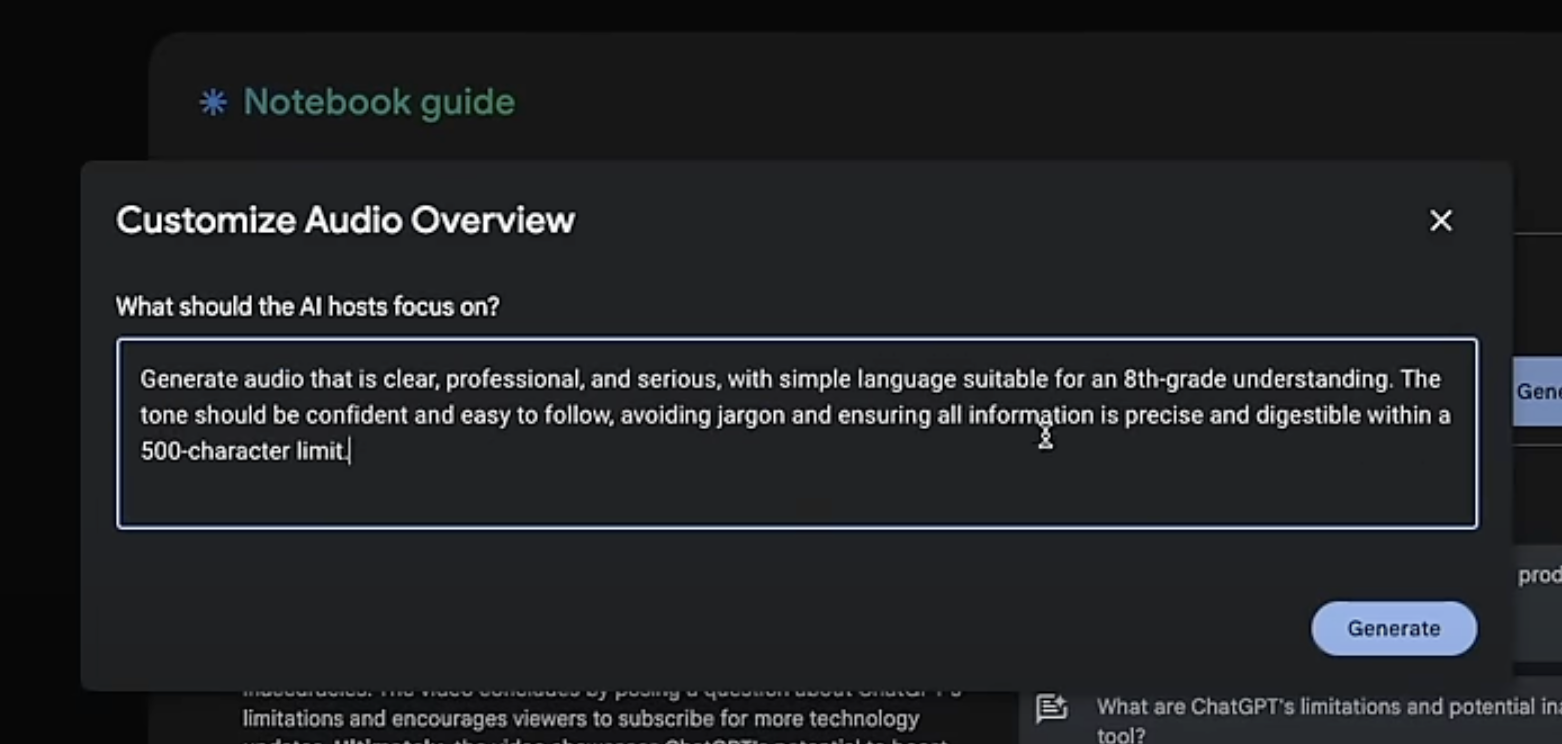
Steps to Customize:
- Open your notebook and click Customize in the audio overview section.
- Add specific directions like focusing on a topic, simplifying for a younger audience, or emphasizing professional tone.
- Use AI tools like ChatGPT to create concise prompts. For example:
- “Help me generate an audio summary at an eighth-grade reading level with a professional tone, focusing on productivity tips.”
This small tweak makes your audio outputs more effective and relatable.
Whether it’s summarizing complex data or simplifying technical topics, customization takes the experience to the next level.
2. Analyzing Podcasts and Audio Files
Tired of sifting through lengthy podcasts? NotebookLM can analyze MP3 files, offering key takeaways and summaries in seconds.
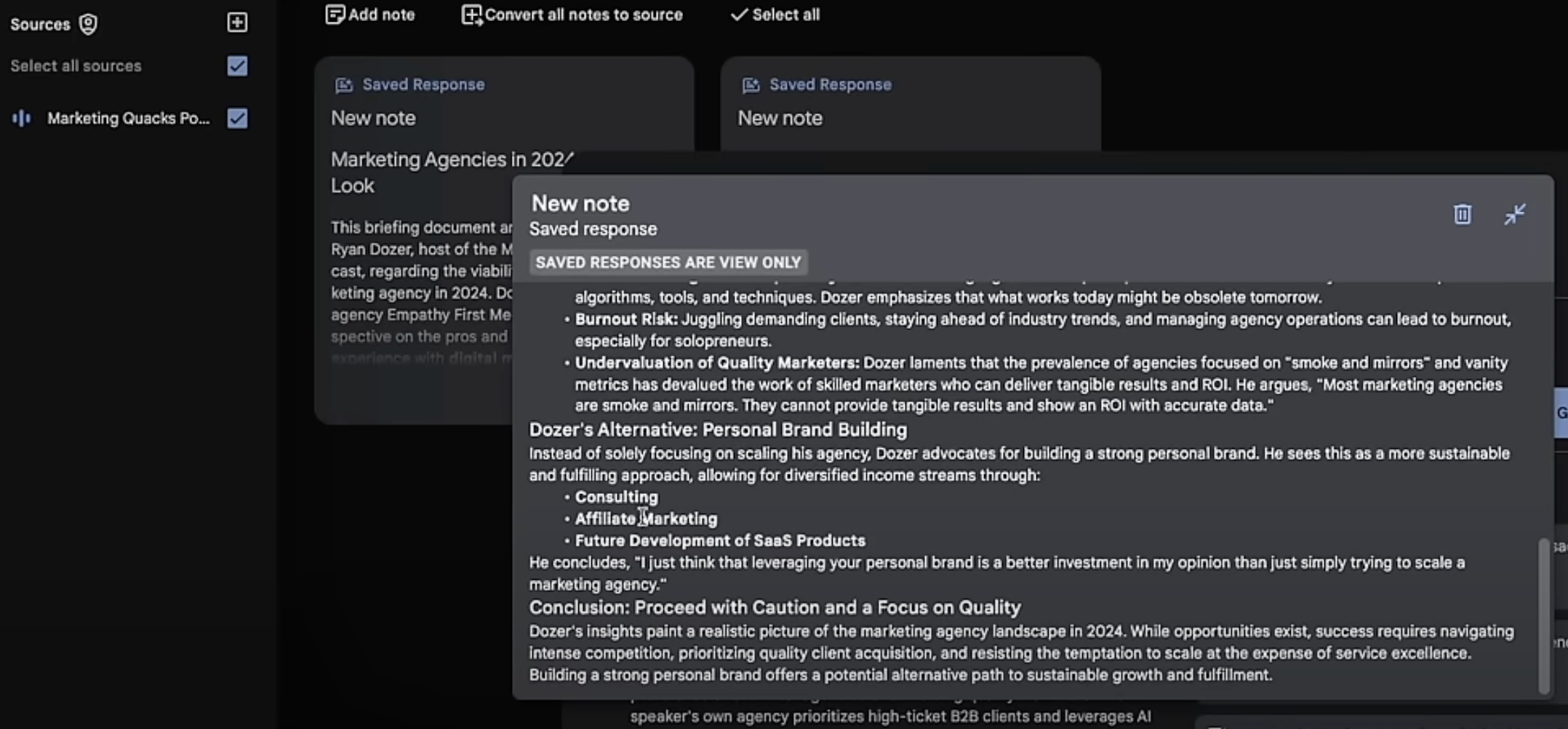
How It Works:
- Download an MP3 file of a podcast or audio source.
- Upload the file into your NotebookLM project as a source.
- Generate summaries, briefing documents, or even detailed outlines.
For instance, upload a 40-minute podcast and get a concise summary highlighting the main points—no more spending hours listening when you need answers fast. Platforms like ListenNotes can help locate and download podcast episodes.
3. Creating SEO Content Outlines
NotebookLM shines when it comes to creating content outlines, especially for SEO purposes.
Instead of generic AI-generated outlines, NotebookLM bases its insights on your chosen sources.
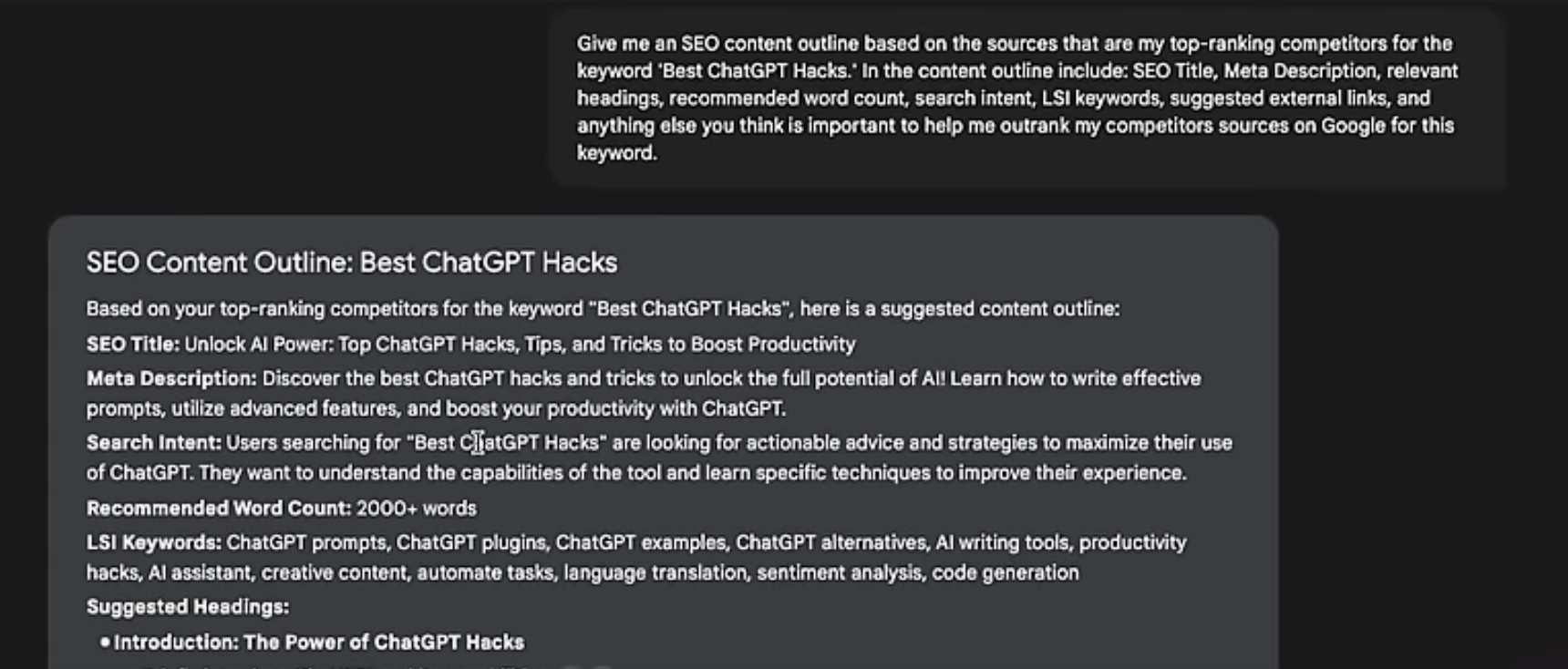
Steps:
- Add top-performing competitor articles or resources for your target keyword as sources.
- Prompt NotebookLM to create an outline. For example:
- “Generate an SEO outline for the keyword ‘NotebookLM Hacks,’ including headings, subheadings, and suggested links.”
The result? A structured plan that mirrors the success of top-ranking articles. You can take this outline to tools like ChatGPT or Claude to flesh out a full blog post.
4. Repurposing Written Content into Video
Transforming written text into engaging video content has never been easier.
Use NotebookLM to generate audio summaries from text, then convert them into videos using tools like Revid AI.
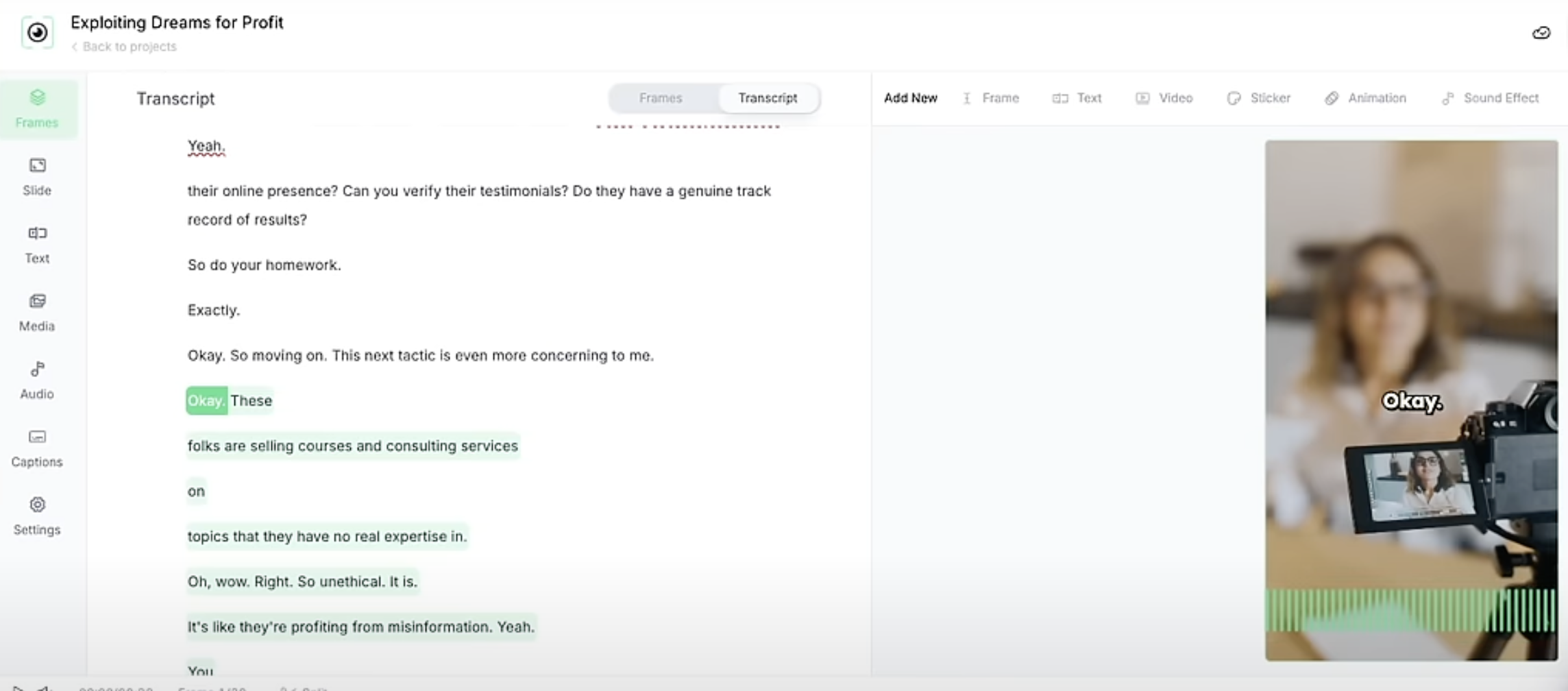
Workflow:
- Paste text (e.g., blog post or social media content) into NotebookLM and create an audio overview.
- Download the audio file and upload it to Revid AI.
- Use Revid’s video generation tools to pair the audio with b-roll footage or animations, creating attention-grabbing content for platforms like Instagram or TikTok.
This approach extends the lifespan of your content by repurposing it across multiple formats.
5. Turning Books into Personalized Coaches
One of the most innovative uses of NotebookLM is converting uploaded books or eBooks into virtual coaches or consultants.
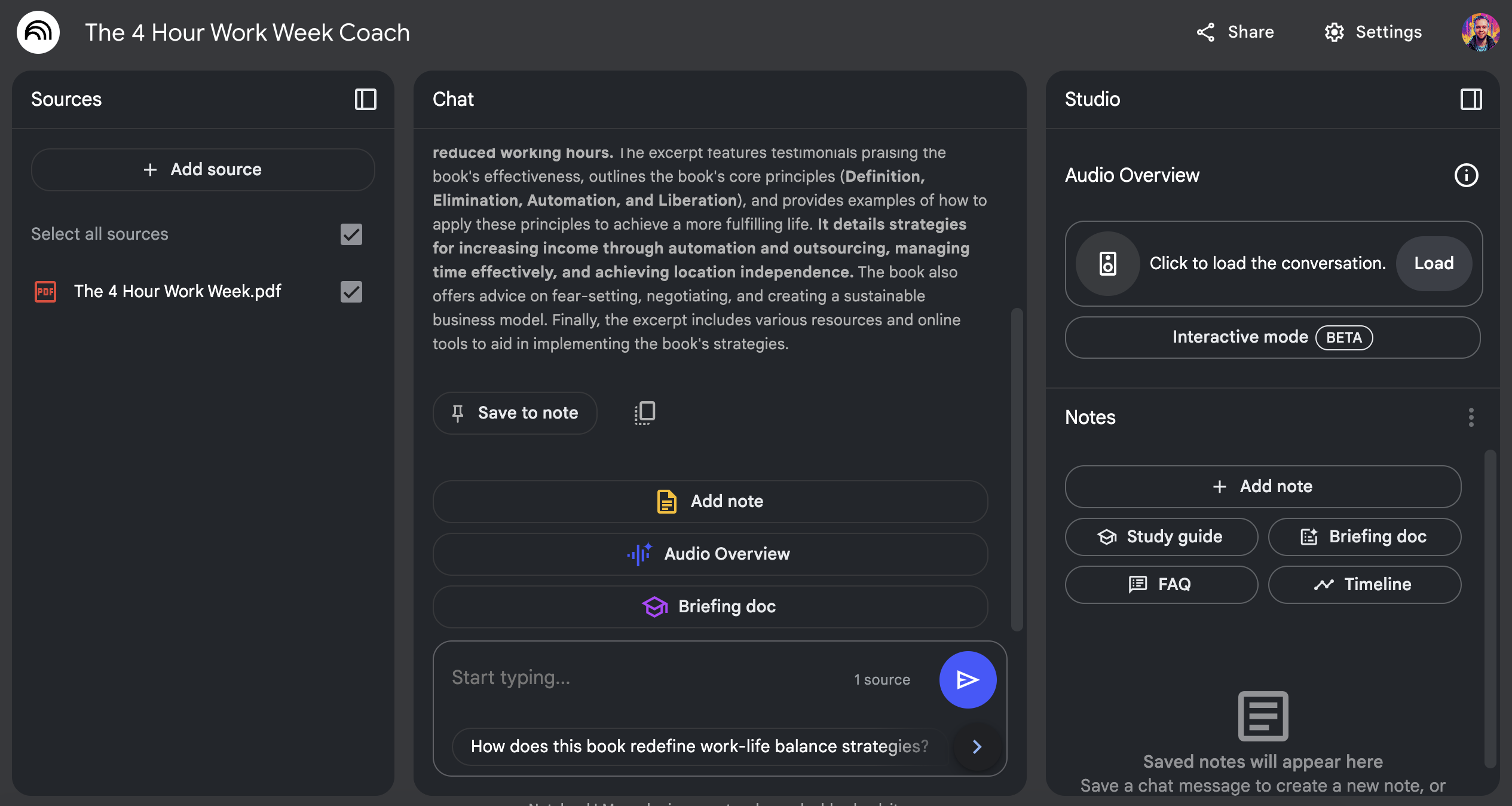
Example:
Upload “The 4-Hour Work Week” by Tim Ferriss. With the text as a source, prompt NotebookLM to act as a coach. You can request:
- A step-by-step guide to applying principles from the book.
- Audio summaries that focus on actionable tips.
NotebookLM’s ability to distill complex material into practical advice turns it into a virtual mentor tailored to your needs.
Bonus NotebookLM Hacks
While NotebookLM excels in research and summarization, here are two quick extras to explore:
- Legal Consultation (Basic): Upload legal documents or PDFs and ask NotebookLM to summarize key points. (Note: For serious legal advice, consult a professional.)
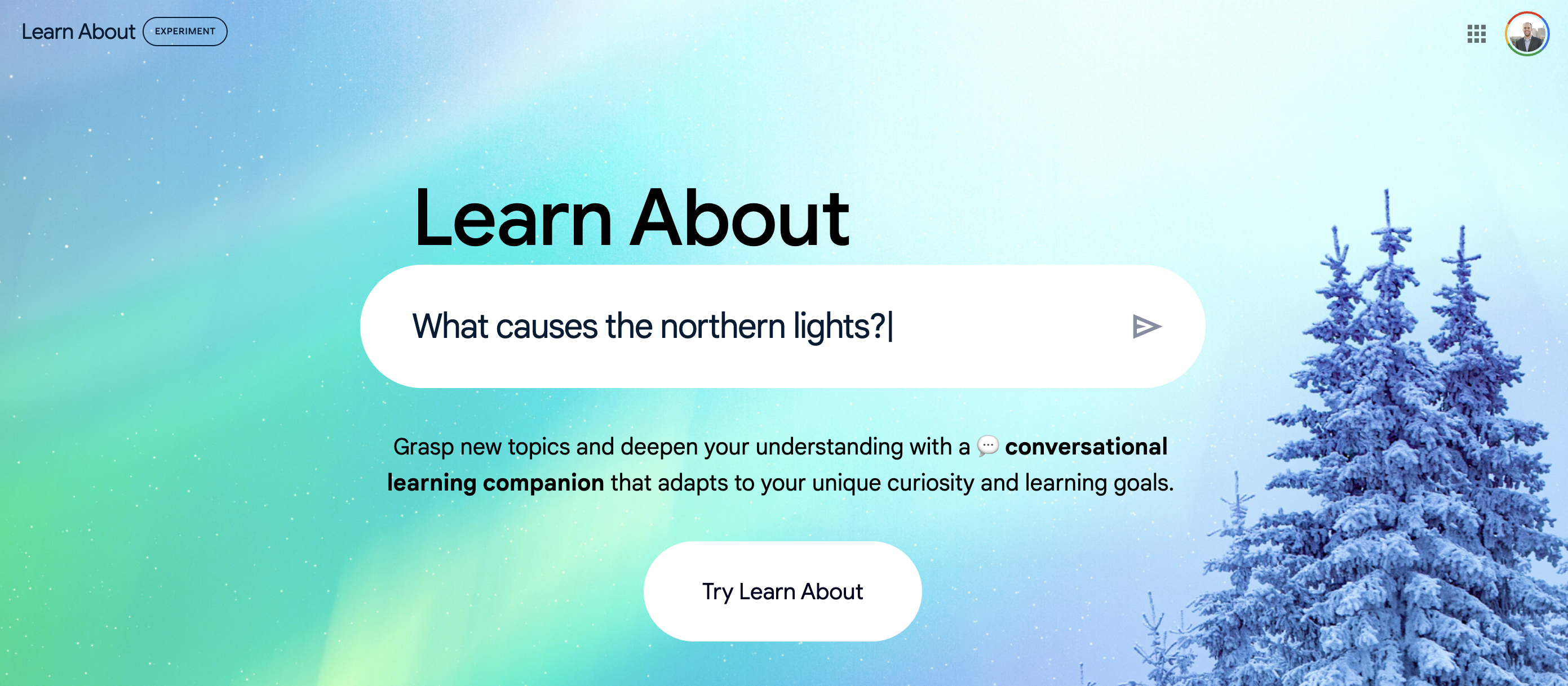
- Explore Google’s Ecosystem: Tools like Learn About (under Google Labs) complement NotebookLM by providing interactive summaries on various topics without requiring uploads.
Final Thoughts from Ryan
NotebookLM is more than a tool—it’s a productivity powerhouse. By customizing its features, you can save time, maximize efficiency, and repurpose content like never before.
Whether you’re summarizing podcasts, crafting SEO content, or using it as a virtual coach, the possibilities are endless.
If you haven’t already, give these hacks a try and see how NotebookLM can elevate your workflow.
Have questions or your own favorite NotebookLM tricks? Drop them in the comments!


